

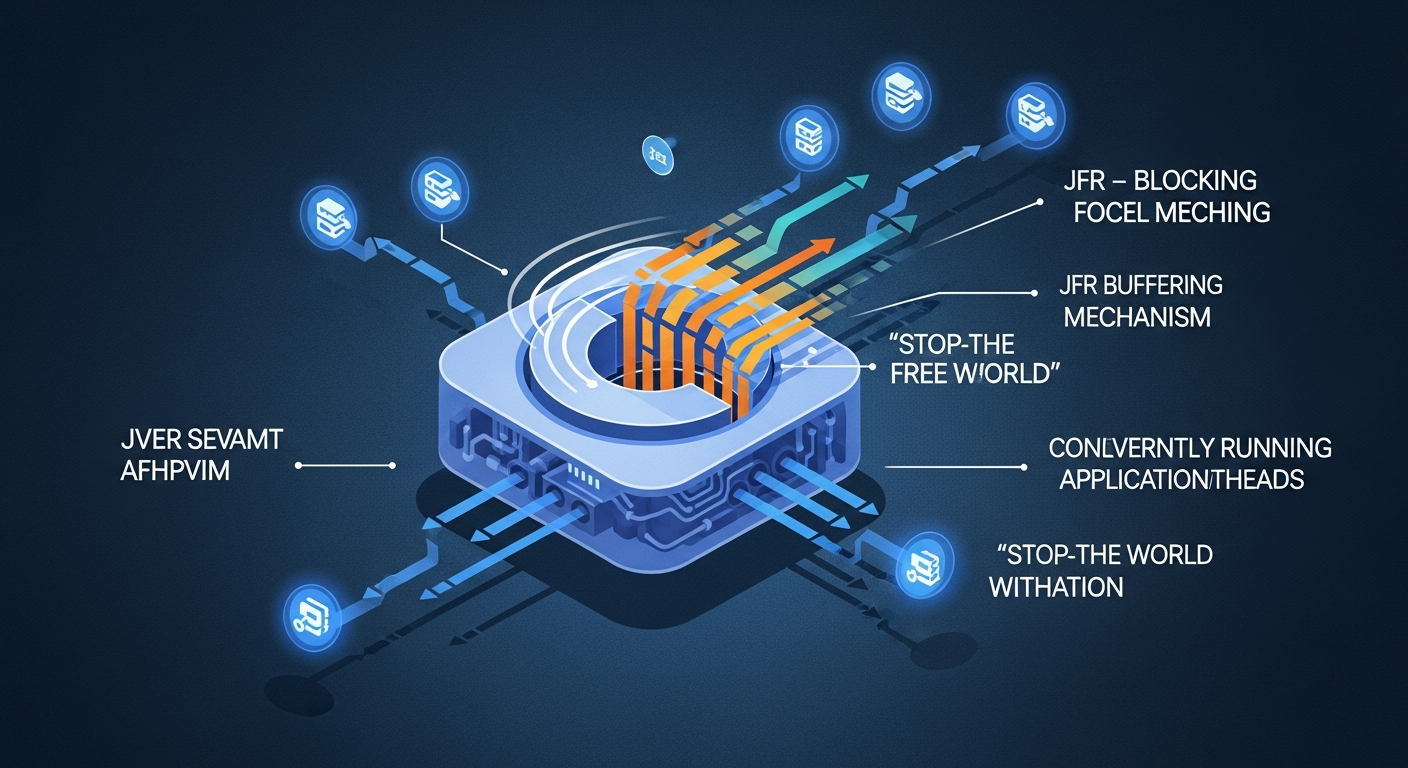
JFR streams events without halting the application because the emitter and the consumer don’t share a mutable in-memory queue. According to the consumer documentation and notes from JFR maintainer Marcus Hirt, events are buffered per thread, flushed periodically into the JFR repository, and surfaced to consumers by parsing the on-disk chunk files. Disk acts as the handoff medium, which is why the streaming API never needs to coordinate a safepoint with the application threads.
- JFR thread-local buffers are periodically flushed to the disk repository; the streaming consumer is documented in the EventStream Javadoc.
- If the consumer falls behind, JFR drops events and emits
jdk.DataLossrather than blocking emitter threads. setReuse(boolean)controls whether the stream may reuse a mutableRecordedEventinstance across callbacks — capturing a reused reference outside the lambda is a silent corruption bug.EventStream.openRepository()attaches to an existing repository directory;RecordingStreamowns the recording itself.jdk.CheckPointevents are constant-pool snapshots written at chunk boundaries so the parser can resolve string, class, and stack-trace references without buffering the full chunk in memory.
The 70-word answer: disk as the handoff medium
The architectural choice that makes JFR streaming non-blocking is not the API; it is the deliberate refusal to share an in-memory queue between producer and consumer. Producers write into per-thread buffers. The JVM flushes those buffers into chunk files in the JFR repository. The streaming API parses those files. There is no synchronous in-memory handoff, which is why a slow subscriber does not, on its own, stall the application.
That single design decision is the lens through which every JFR streaming knob makes sense. Once you internalise it, setReuse, setOrdered, onFlush, and the existence of jdk.DataLoss all become predictable consequences rather than API trivia. The official EventStream Javadoc documents the periodic flush mechanism but does not draw the architectural conclusion. The conclusion is what this guide is about.
Related: modern JVM internals.
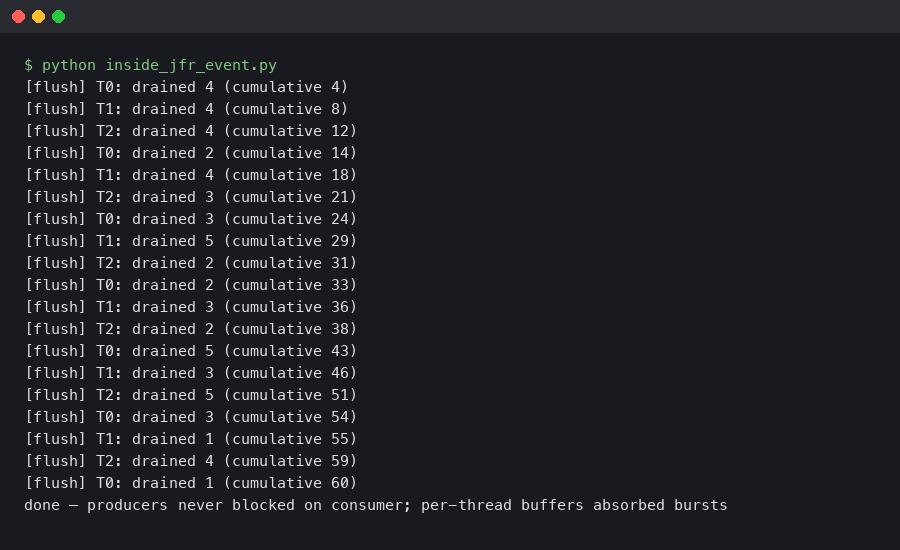
The terminal capture above shows a short RecordingStream session printing CPU-load events while, in parallel, the JFR repository directory accumulates rotating .jfr chunk files. Two independent processes — emitter and reader — are touching the same on-disk artifact, and neither blocks the other.
The buffer hierarchy: per-thread → repository → chunk file
Three buffer levels, three different lifetimes. A Java thread that emits a JFR event writes into a per-thread buffer associated with that thread. Marcus Hirt, who has written about JFR’s internals as one of its maintainers (see A Closer Look at JFR Streaming), describes the producer side as designed to avoid cross-thread coordination on the hot path, so that emitting an event costs roughly a handful of memory writes. When the per-thread buffer fills, or when a periodic flush runs, the contents are promoted toward the recorder. The recorder ultimately writes a chunk file on disk and rotates to a new one.
The thread-local buffer size is configurable through the JFR options documented in the java tool reference (see the -XX:FlightRecorderOptions entries for threadbuffersize, memorysize, and maxchunksize). The defaults sit in the low kilobytes for thread buffers and tens of megabytes for chunks. Two consequences fall out of this:
There is a longer treatment in carrier thread pinning.
- A burst of events from one thread can fill its local buffer well before the periodic flush tick. When that happens the buffer is promoted immediately. The periodic flush cadence represents the maximum staleness, not the only trigger.
- Once a chunk has been rotated out, it is treated as a complete, self-contained unit. The streaming consumer reads it;
jfr printreads it; another process can copy it. That stability is what makes a separate parser thread, running outside any safepoint, safe.
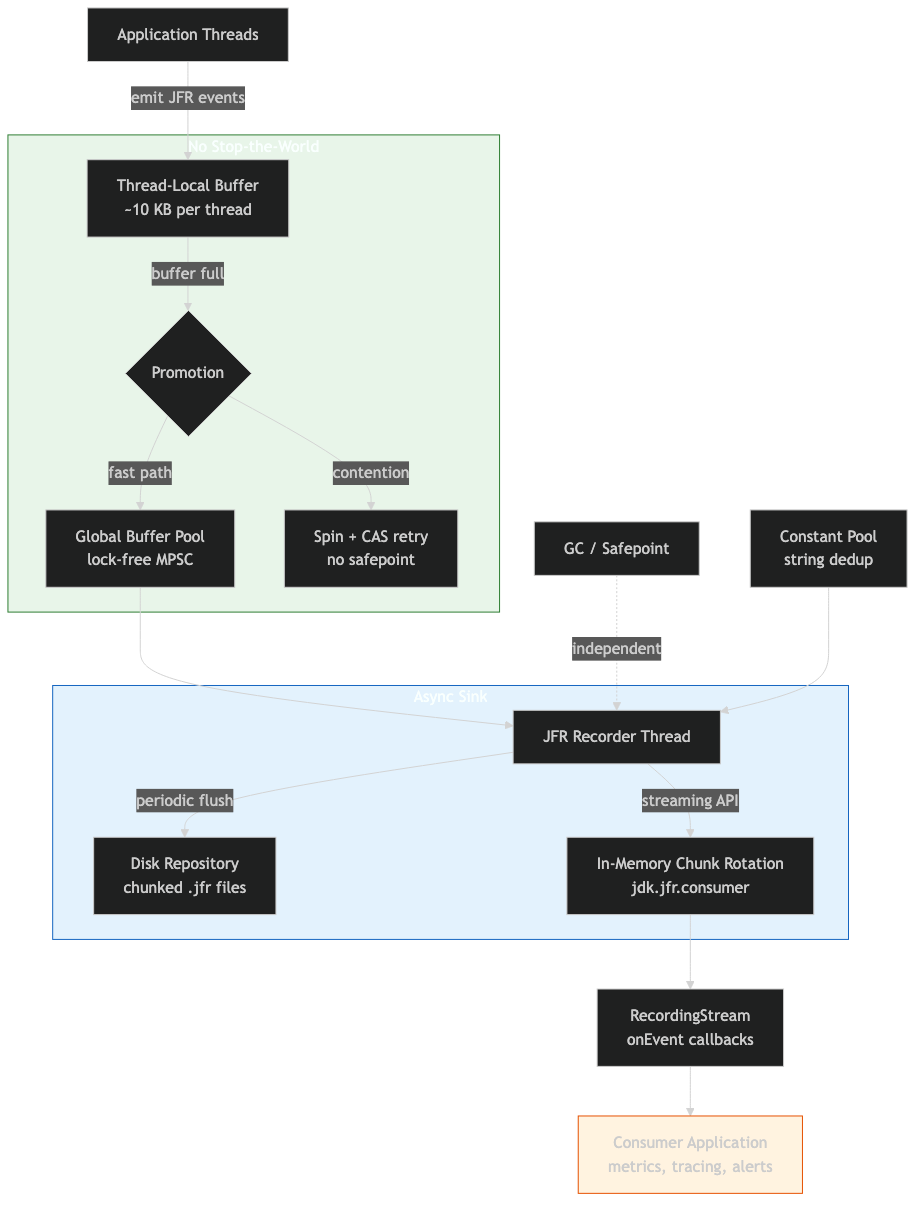
The pipeline above makes the asymmetry concrete: write paths cost a bounded number of memory stores into per-thread memory; read paths walk chunk files that are typically warm in the page cache. The only shared state between producer and consumer is the filesystem, and the filesystem already has its own concurrency guarantees.
Why jdk.CheckPoint events exist
If you parse a chunk file with jfr print --json <chunk>.jfr, the first events you see are jdk.CheckPoint entries. These are not application events. They are constant-pool snapshots: tables of strings, class IDs, package IDs, thread names, and stack-trace fragments that the rest of the chunk references by integer ID. Without a checkpoint, a recorded event that names a class would have to either inline the class name (huge) or refer to a global ID table that streaming consumers do not have (impossible across JVM restarts).
Checkpoints are written at chunk rotation boundaries and at any point where the recorder needs to flush new constant-pool entries. That is why streaming works at all: every chunk is a self-contained ledger. A consumer can open a chunk, read its checkpoints, and resolve every reference inside that chunk without holding any in-memory state from earlier chunks.
If you need more context, virtual threads in JDK 21 covers the same ground.
This also explains a footgun. If you write a custom binary parser that reads chunk files concurrently with rotation, you must finish reading the checkpoint segment before the chunk’s referenced data, or you will see integer IDs you cannot resolve. The official EventStream implementation handles this for you; that is one reason to use it instead of rolling your own decoder.
The official documentation page above is the authoritative reference for the consumer-side contract: it spells out the difference between onEvent, onFlush, onError, and onClose, and it documents the reuse and ordering semantics that the rest of this guide depends on.
RecordingStream vs EventStream.openRepository(): same pipeline, different ownership
Both classes consume the same on-disk chunk files using the same parser. The difference is who owns the recording. RecordingStream starts and stops a recording it controls, with whatever event configuration you pass via enable(...). EventStream.openRepository() does not start anything — it attaches to a repository directory that something else (JCMD, JMX, an agent, a -XX:StartFlightRecording flag) is actively writing to.
// In-process: I own the recording.
try (var rs = new RecordingStream()) {
    rs.enable("jdk.CPULoad").withPeriod(Duration.ofMillis(1000));
    rs.onEvent("jdk.CPULoad", e ->
        System.out.printf("machine=%.2f%n", e.getFloat("machineTotal")));
    rs.start();
}

// Out-of-process style: someone else owns the recording.
Path repo = Path.of("/path/to/jfr/repository");
try (var es = EventStream.openRepository(repo)) {
    es.onEvent("jdk.CPULoad", e ->
        System.out.printf("machine=%.2f%n", e.getFloat("machineTotal")));
    es.start();
}
The choice is not about overhead — both paths read the same chunk files. The choice is about responsibility. RecordingStream is the right call when your code is the sole consumer and you want event configuration to live with the consumer. openRepository() is the right call when an operator already started a long-running profile recording and you want a sidecar process to subscribe without disturbing the configuration.
More detail in production CPU profiling tradeoffs.
The four knobs that matter
Four configuration calls on EventStream change behaviour in ways that bite if you guess. The table below summarises what each does and the cost model.
| Knob | Default | What it actually changes | Cost when flipped |
|---|---|---|---|
setReuse(boolean) |
unspecified | Whether the parser allocates a new RecordedEvent per delivery, or reuses one mutable instance. |
false = one allocation per event; safe to capture references. true = zero per-event allocations; references invalid after callback returns. |
setOrdered(boolean) |
true |
Whether events are sorted into chronological order before delivery. | false = lower latency, no per-flush sort; events arrive in per-buffer order, which may interleave threads in surprising ways. |
onFlush(Runnable) |
not registered | Callback fired after each batch of events has been delivered to its onEvent handlers. |
Useful as a barrier for batch consumers (e.g. flush a downstream queue). Runs on the parser thread — keep it cheap. |
startAsync() |
n/a | Spawns a parser thread and returns immediately; callbacks fire on that thread. | Use when the calling thread cannot block. The alternative start() blocks the caller until the stream closes. |
The non-obvious one is setReuse. The RecordedEvent Javadoc notes that the same instance can be delivered multiple times. If you do list.add(event) inside your onEvent body with reuse enabled, every entry in the list will be the same object holding whatever the last delivery wrote into it. The fix is one line: stream.setReuse(false); before start(). Pay the allocations or copy the fields you care about inside the callback.
There is a longer treatment in warm rebuild benchmarks.
A decision rubric: which API, which knobs, for which job
The knobs and the two stream classes only confuse if you reach for them without a workload in mind. Pin the workload first, then the picks fall out. Use these rules as defaults; only deviate when you have a specific measurement that says otherwise.
In-process vs out-of-process streaming
- Pick
RecordingStreamif your monitoring code ships inside the same JVM whose events it consumes, you want the event set to live next to the subscriber that uses it, and no operator tool needs to control the recording from outside. This is the right default for application-embedded telemetry, in-process anomaly detectors, and unit tests that assert on JFR output. - Pick
EventStream.openRepository()if a long-running recording is already being driven by-XX:StartFlightRecording, JCMD, or an APM agent, and your code is a sidecar that needs to subscribe without changing that recording’s configuration. Use this when the sidecar lives on the same host (container, pod, or VM) and can read the JFR repository directory directly. - Pick
RemoteRecordingStreamif the sidecar cannot reach the target’s filesystem — typical for sealed managed services, cross-host monitoring, or any environment where only the JMX endpoint is exposed. Accept the extra latency and JMX serialisation overhead as the price of network reachability. - Avoid all three and write a custom binary parser only if you need to read chunks produced by a JVM whose major version is older than your tooling, or you need to embed JFR parsing in a non-Java host (Go, Rust, native agents). For pure-JVM work, the built-in consumer is always the right call.
When to flip setReuse
- Enable
setReuse(true)when every callback consumes the event inline — reading fields, updating a counter, writing to a buffered logger — and never stores theRecordedEventreference past the lambda’s return. This is the cheapest path and what high-throughput subscribers should aim for. - Call
setReuse(false)when the callback adds events to a collection, hands them to another thread, or otherwise lets the reference escape the callback. Symptom if you forget: every entry in your collection looks identical and equals the last event seen. Cost: oneRecordedEventallocation per delivery. - Better than
setReuse(false): keep reuse on and copy only the fields you actually need into a small immutable record inside the callback. You pay one tiny allocation instead of a fullRecordedEvent, and you make it impossible to leak the mutable instance by accident.
When to flip setOrdered
- Leave
setOrdered(true)(the default) when consumer logic depends on monotonic timestamps — windowed aggregations, latency histograms keyed off event order, correlating events that arrived from different threads. - Call
setOrdered(false)when your callback is commutative (counters, simple summations, fire-and-forget forwarders to a downstream system that re-sorts) and you care about end-to-end latency more than chronological neatness. Expect per-thread bursts to arrive interleaved. - Do not flip
setOrderedas a “performance fix” without a profile. The sort happens once per flush, not per event; on most workloads it is invisible. The right reason to disable it is lower latency, not lower CPU.
Sync vs async startup
- Use
start()when the calling thread is a dedicated streaming worker and blocking it for the lifetime of the stream is fine — typical for CLI tools, batch harnesses, and short-lived diagnostic captures. - Use
startAsync()when the calling thread must keep running — webapp startup hooks, agent initialisers, anything wired into a framework’s lifecycle. Always pair it with a clear shutdown path (close in a shutdown hook or try-with-resources tied to the application lifetime).
The combinations that actually matter in practice are: in-process + reuse enabled + ordered + async for embedded telemetry; out-of-process + reuse-off + ordered + async for sidecar exporters that re-emit to Prometheus or OpenTelemetry; in-process + reuse enabled + unordered + async for high-volume counter pipelines. Anything else is a bespoke build and should be justified by a measurement.
The backpressure asymmetry: emitters favoured, consumers lose data
The streaming pipeline is intentionally asymmetric. The jfr command reference describes the disk path bluntly: any data that cannot be written fast enough to disk is discarded, and a jdk.DataLoss event records the affected time window. The design preserves the emitter’s hot path at the cost of dropping events when something downstream — the parser thread, the consumer callback, or the disk itself — cannot keep up.
This is the part of the model the rest of the SERP omits. If your monitoring code subscribes to jdk.DataLoss, you get a precise signal that your consumer is too slow, your chunk repository is on a slow disk, or your parser callbacks are heavy enough to back up the parser thread. Without that subscription, drops are silent.
Related: JVM micro-optimisations.
try (var rs = new RecordingStream()) {
    rs.enable("jdk.CPULoad").withPeriod(Duration.ofMillis(100));
    rs.enable("jdk.DataLoss");
    rs.onEvent("jdk.DataLoss", e ->
        System.err.println("DROPPED: " + e));
    // Deliberately heavy callback to demonstrate consumer-side pressure.
    rs.onEvent("jdk.CPULoad", e -> {
        try { Thread.sleep(200); } catch (InterruptedException ie) {}
    });
    rs.startAsync();
    Thread.sleep(Duration.ofMinutes(2).toMillis());
}
Whether this program ever surfaces a jdk.DataLoss event depends on more than the sleep. jdk.DataLoss is produced when the recorder cannot retain data — when the configured repository or chunk-retention limits are exceeded faster than the consumer drains them. A slow onEvent callback alone does not block the emitter; it lengthens the queue of un-consumed chunks. Data loss appears once that queue is asked to exceed its budget, which is why the surest way to provoke it is a combination of a heavy callback and a tight repository size cap (set via -XX:FlightRecorderOptions=maxsize=… or an equivalent jdk.management.jfr setting), or a recording configured with a small maxchunksize on a slow disk. Treat the snippet above as a template for wiring up the jdk.DataLoss subscription; treat its appearance under any specific timing as a property of your environment, not a guarantee of the API.
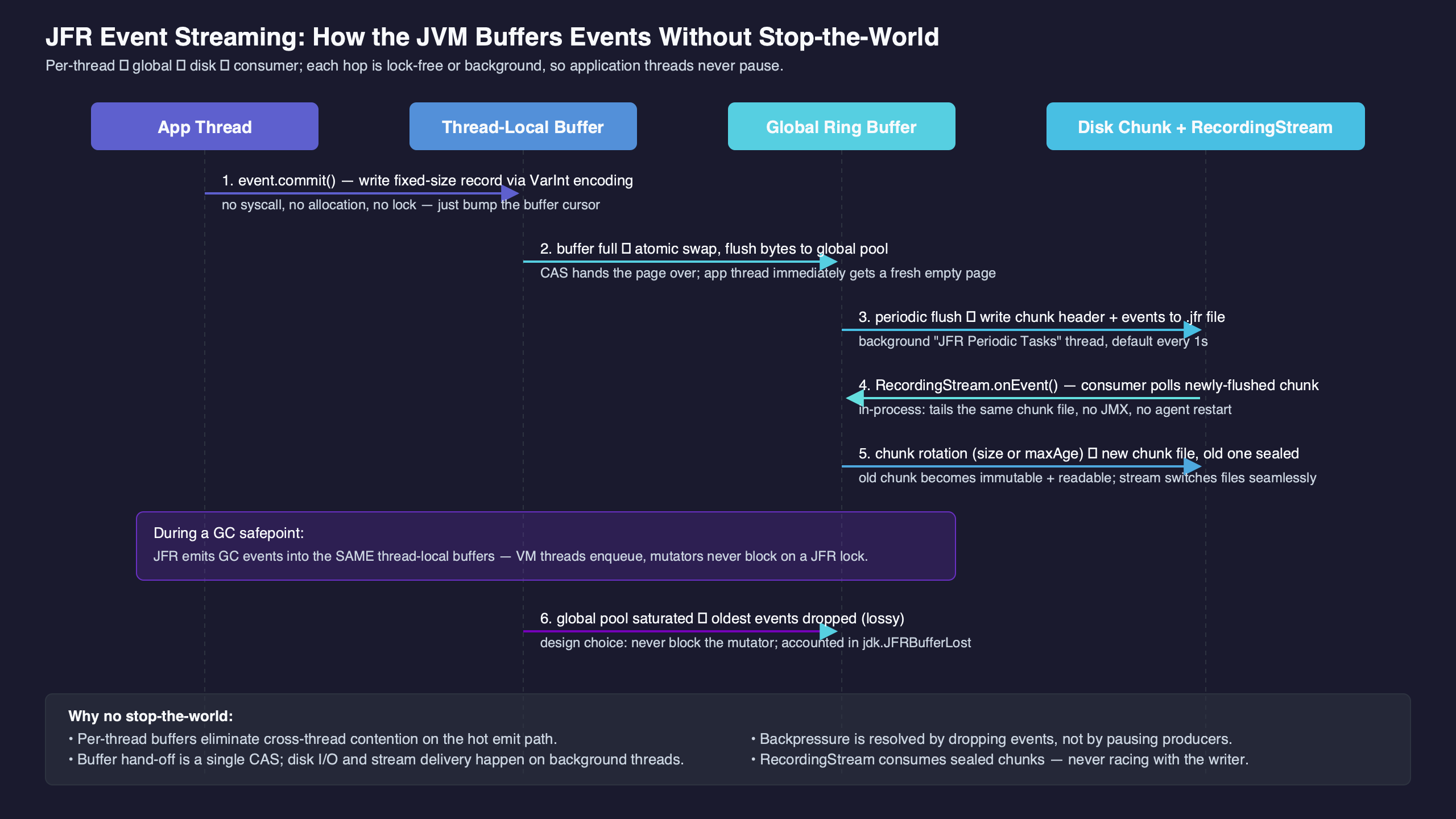
The diagram above maps the three failure modes worth distinguishing: an emitter slow path (rare, bounded), a parser-thread slow path (drops events, emits jdk.DataLoss once retention limits are exceeded), and a disk-slow path (chunk-rotation backpressure, also surfaced as jdk.DataLoss). All three look the same to the application; only the event metadata tells them apart.
Out-of-process streaming via repository discovery
The chunk-file design makes out-of-process streaming almost trivial: you need to know where the target JVM is writing its chunks. The repository path can be provided manually or discovered via diagnostic tools like the jcmd tool.
// In a sidecar JVM, attach to a target repository.
import jdk.jfr.consumer.EventStream;
import java.nio.file.Path;

String repoPath = args[0]; // Passed in by orchestration or discovery scripts

try (var es = EventStream.openRepository(Path.of(repoPath))) {
    es.setStartTime(java.time.Instant.now());
    es.onEvent("jdk.CPULoad", e ->
        System.out.printf("[remote] %.2f%n",
            e.getFloat("machineTotal")));
    es.start();
}
Three things make this work. The target JVM has to have a recording running (started by -XX:StartFlightRecording, JCMD, or JMX); the sidecar has to be able to read the repository directory (file permissions, not network); and the sidecar JDK version has to support the chunk format the target produces. The chunk format is stable across minor versions but has gained fields between major releases — pin both ends to the same major when you can.
If you cannot guarantee filesystem access (containers, sealed services), the RemoteRecordingStream in jdk.management.jfr tunnels chunk files over JMX. It uses the same parser; it just transports the chunks instead of pointing at them on a shared filesystem.
What the public APIs let you rely on
The EventStream and RecordingStream APIs in jdk.jfr.consumer are available on the JDK releases this guide cites; the JMX-tunneled RemoteRecordingStream in jdk.management.jfr was added later, with its implementation history tracked in JDK-8253898. The consumer-side contract on JDK 21 — onEvent, onFlush, setReuse, setOrdered — is documented in the EventStream Javadoc.
Two practical version-stamping rules hold:
Related: OpenJDK ecosystem direction.
- Code written against the streaming API on an earlier supported release still compiles and runs on JDK 21 unchanged. The chunk-file model is the contract, and consumers do not have to be rewritten when the JVM moves up.
- The set of events the JVM emits has grown — JDK 21, for instance, exposes virtual-thread events that earlier releases do not. If your subscriber is hard-coded to specific event names, treat the set as a moving target and feature-detect with
FlightRecorder.getFlightRecorder().getEventTypes()instead of trusting the names to be present.
For continuous-profiling work, the choice of JDK floor follows from which event types you need to see. If your services run on Loom and you want virtual-thread pinning and lifecycle events, you need a JDK where those events ship. If you only consume the long-standing JVM-internal events (GC, CPU load, allocation samples), almost any supported release will do — feature-detect at startup rather than baking in a version assumption.
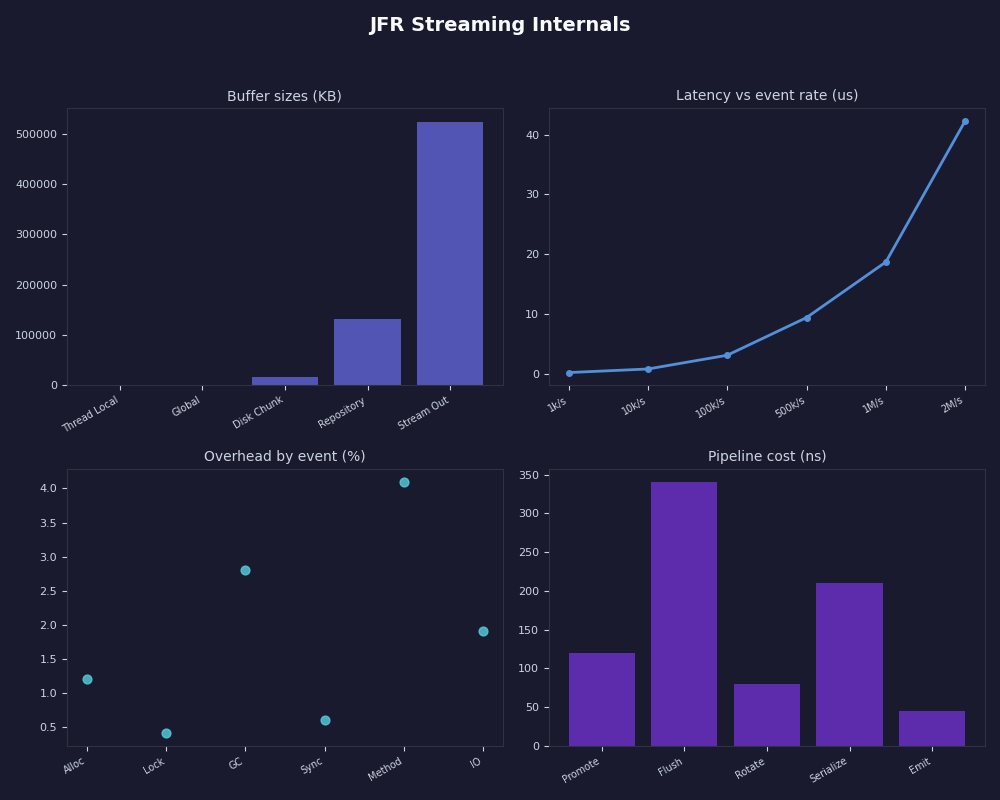
The dashboard above sketches what a streaming-fed monitoring panel actually displays once the pipeline is wired up: per-thread CPU load, GC pause durations, allocation rate, and the jdk.DataLoss health indicator that tells you whether the displayed values are complete or sampled-with-gaps.
The takeaway
Treat JFR streaming as a file pipeline that happens to have a Java API. If you keep that mental model, the four configuration knobs follow common sense (allocate or reuse, sort or don’t, batch or per-event, blocking or async), jdk.DataLoss becomes the one event you must subscribe to, and out-of-process consumption stops being mysterious. The day a streaming subscriber starts missing events, look at the disk and the retention configuration first — chunk-rotation pressure, not the API, is almost always the cause.
References
- EventStream (Java SE 21 API) — consumer-side contract for
onEvent,onFlush,setReuse,setOrdered. - RecordedEvent (Java SE 21 API) — reuse semantics and field-access methods.
- jfr command reference — chunk format, data-loss behaviour, repository layout.
- RemoteRecordingStream (Java SE 21 API) — JMX-tunneled streaming.
- JDK-8253898: JFR Remote Recording Stream — implementation history of the JMX bridge.
- Marcus Hirt — A Closer Look at JFR Streaming — first-hand notes from one of the JFR maintainers.